

What MYSTICHOT Makes: Find the Right Product Category
Updated November 8, 2026
Finding the right item on MysticHot starts with two navigation paths: browsing by product type in the main menu or filtering by your custom photo subject. Whether you want wearable custom clothing or a non-apparel item, understanding how our catalog is organized helps you land on the exact listing that supports your photo and customization preferences.
Navigating the Four Main Menu Categories (Apparel, Bespoke, Accessories, Household Items)
Our top navigation menu divides the catalog into four primary product formats so you can filter by how the item will be used:
Apparel: Houses wearable custom clothing, such as sweatshirts, hoodies, and T-shirts across various embroidery themes.
Bespoke: Features specialized custom listings designed around tailored personalization options.
Accessories: Groups smaller everyday carry and wearable add-on items outside the main tops category; check individual listings for item dimensions or sizing.
Household Items: Contains custom pieces meant for living spaces and home use rather than wardrobe wear.
If you know you want a wearable top, start inside Apparel. If you prefer something for a desk, room, or daily carry without worrying about shirt measurements, explore Accessories or Household Items first.

Choosing by Core Subject: Pet, Car, or Couple Embroidery
When your starting point is a specific photo on your phone or camera, navigating by subject collection is the fastest way to find matching page options:
Pet Portraits: Browse the pet embroidery collection if you are uploading a photo of a dog, cat, or other animal. Listings in this category are structured around animal portraits—such as the archived grey French bulldog sweatshirt example—and specific pages may offer toggles for pet names, multiple pets, or stitch styles.
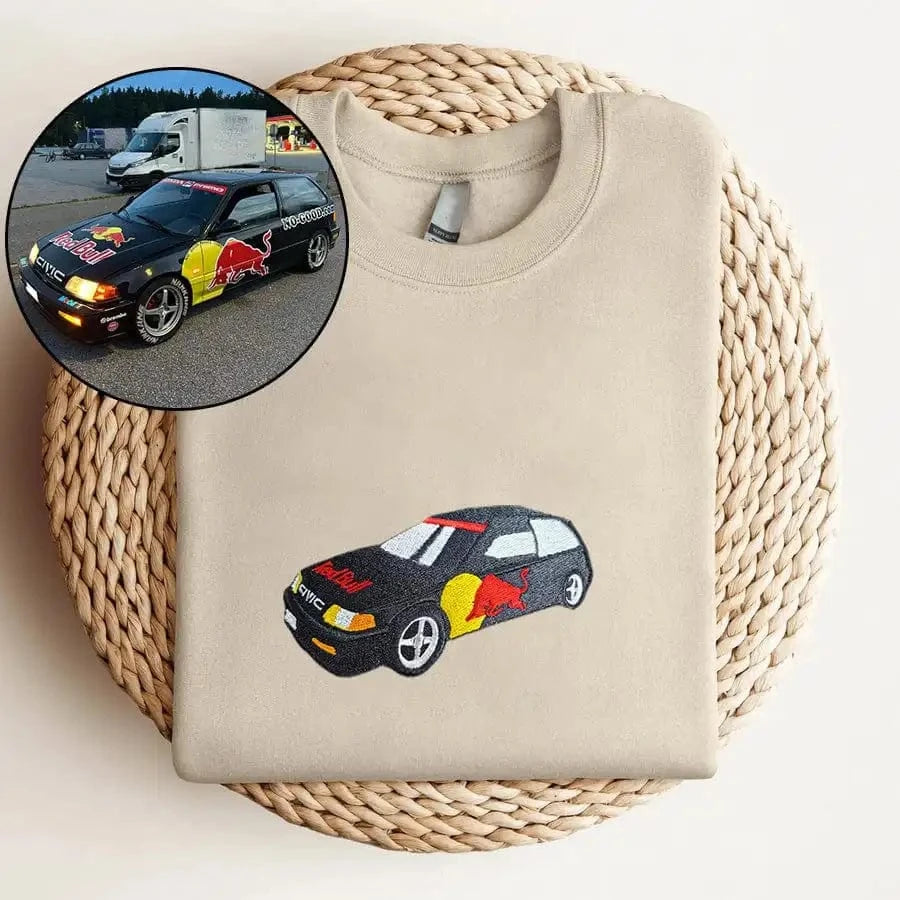
Vehicles and Automotive: Visit the car embroidery collection if your reference image is a car, truck, or motorcycle. As illustrated by our merchant car design example, these listings focus on vehicle silhouettes and automotive framing rather than portrait cropping.
Two-Person Portraits: Head to the couple collection when your photo features you and your partner and you want customization fields geared toward two-person designs, dates, or matching sets.
Matching your photo to a relevant collection gives you a useful starting point; check the exact subject support on the product page.
Matching the Product Format to the Recipient's Daily Routine
When choosing between clothing and non-apparel categories, weigh the practical fit and daily habits of the person who will use the item:
When to Pick Apparel: Choose a sweatshirt, hoodie, or tee when you know the wearer's preferred neckline and can verify their flat garment measurements against the size chart on that specific product page.
When to Pick Accessories or Household Items: If you are buying for someone whose clothing size you cannot easily check, or who rarely wears casual pullovers, browse Accessories or Household Items for a non-apparel alternative. Check that item’s dimensions and personalization fields; these categories can also include size-sensitive accessories.
How to Verify Active Options on Individual Product Listings
Even within the same collection or menu category, individual product listings can have different configuration options. Before uploading your photo, always check the live selectors on the exact page you open:
Available Garment Styles and Colors: Check the Style and Color dropdowns on that specific listing to see what silhouettes and shades are currently selectable.
Size Chart Specifics: Open the size guide on the individual product page rather than assuming every item shares the same size range or dimensions.
Add-On Controls: Look at whether the page displays selectors for extra subjects, chest positions, or sleeve lettering before adding the item to your cart.
Frequently Asked Questions
Where should I look if I do not know the recipient's clothing size?
If you cannot confirm the person's shirt or pullover measurements first, browse Accessories or Household Items for a non-top alternative, and verify its specific dimensions or size options.
Should I upload a vehicle photo on a pet or couple product page?
Start with the category that matches your subject, then verify what the selected listing accepts. Do not assume that every photo upload field supports every type or number of subjects.
Do all listings under Apparel share the exact same styles, sizes, and options?
No. Available garment styles, color choices, size ranges, and customization toggles vary by listing, so always check the active dropdown menus and size chart on the specific product page you are viewing.


